vscode에서 Jupyter을 사용할려는데

커널 찾는 것만 무한 반복 중이다...

"결국 확장 활성화에 실패했습니다. 자세한 내용을 보려면 '개발자: 개발자 도구 설정/해제' 명령을 실행하세요."
Jupyter 확장 프로그램에서 계속 해당 에러 메시지를 보여주면서 접속이 되지 않는다...
이 문제를 해결하기 위해 진짜 많은 검색을 하였는데 여기에서 그 해결방안을 찾을 수 있었다.
https://github.com/microsoft/vscode-jupyter/issues/16973
error jupyter extension vscode · Issue #16973 · microsoft/vscode-jupyter
Applies To Notebooks (.ipynb files) Interactive Window and/or Cell Scripts (.py files with #%% markers) What happened? With today's update 2023.8.1002501831, It doesn't recognize the interpreter fo...
github.com
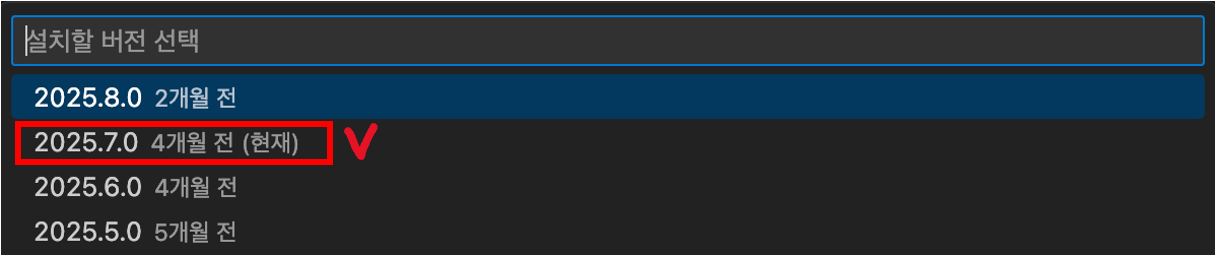
vscode 확장 프로그램에서 Jupyter를 특정 버전인 2025.7.0으로 다운그레이드하니 바로 해결되었다.


'log > 에러 모음' 카테고리의 다른 글
| Docker 설치를 위한 최소 macOS 버전=Sonoma 이상 (0) | 2025.12.04 |
|---|